Coming soon · Chrome and Edge
YouTube on your computer, modestly.
ModestFeed for Chrome blurs people in YouTube thumbnails, videos and Shorts. The AI runs inside your browser, so what you watch stays on your computer.
- Windows, Mac, Linux, Chromebook
- Nothing uploaded
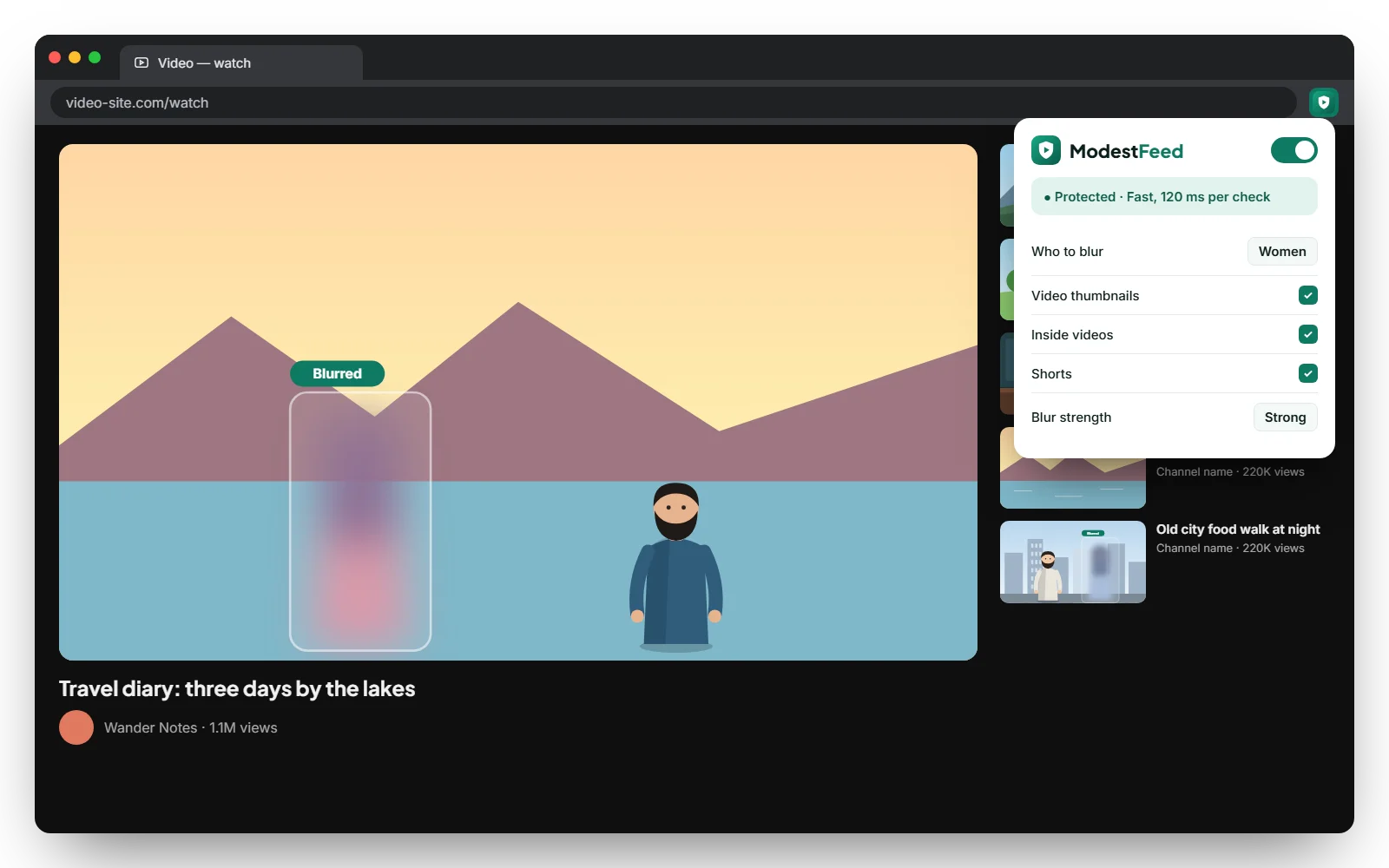
What it covers
Every corner of YouTube
Thumbnails
Home, search, subscriptions and suggestions. Covers stay blurred until checked, and each one is checked only once.
Videos
The blur follows people while the video plays, including in full screen, and clears old boxes at every camera cut.
Shorts
Fast, careful checks made for short videos, with an extra look at anything uncertain.
Settings
One small panel, all the control
- Turn protection on or off with one switch
- Blur women, men or everyone
- Choose thumbnails, videos and Shorts separately
- Blur strength, and how closely the blur hugs the person
- Speed setting for older or newer computers, with optional use of your graphics card
Requirements
What you need
| Browser | Google Chrome or Microsoft Edge (current version). |
|---|---|
| Computer | Windows, macOS, Linux or ChromeOS. Any computer from the last few years. |
| Sites | YouTube (youtube.com). |
| Plan | Free for thumbnails. Premium adds blur inside videos and Shorts, and also covers the Android app. See plans. |
Get ModestFeed for Chrome first
Leave your email and we'll send you the link as soon as it's live.
Only launch news. No spam.